DayZ Badlands vehicles: Motorbikes and Dust Trails
How DayZ Badlands vehicles raise dust on cars, trucks, and motorbikes, and what Update 1.30's wipe means for desert driving.
Why dust now matters when you drive
A clean horizon does not stay clean for long once DayZ Badlands vehicles start moving. Dust is no longer filler scenery. It is one of the clearest signs that DayZ Badlands vehicles have passed through, and Update 1.30 makes that trail matter on cars, trucks, and the new motorbikes.
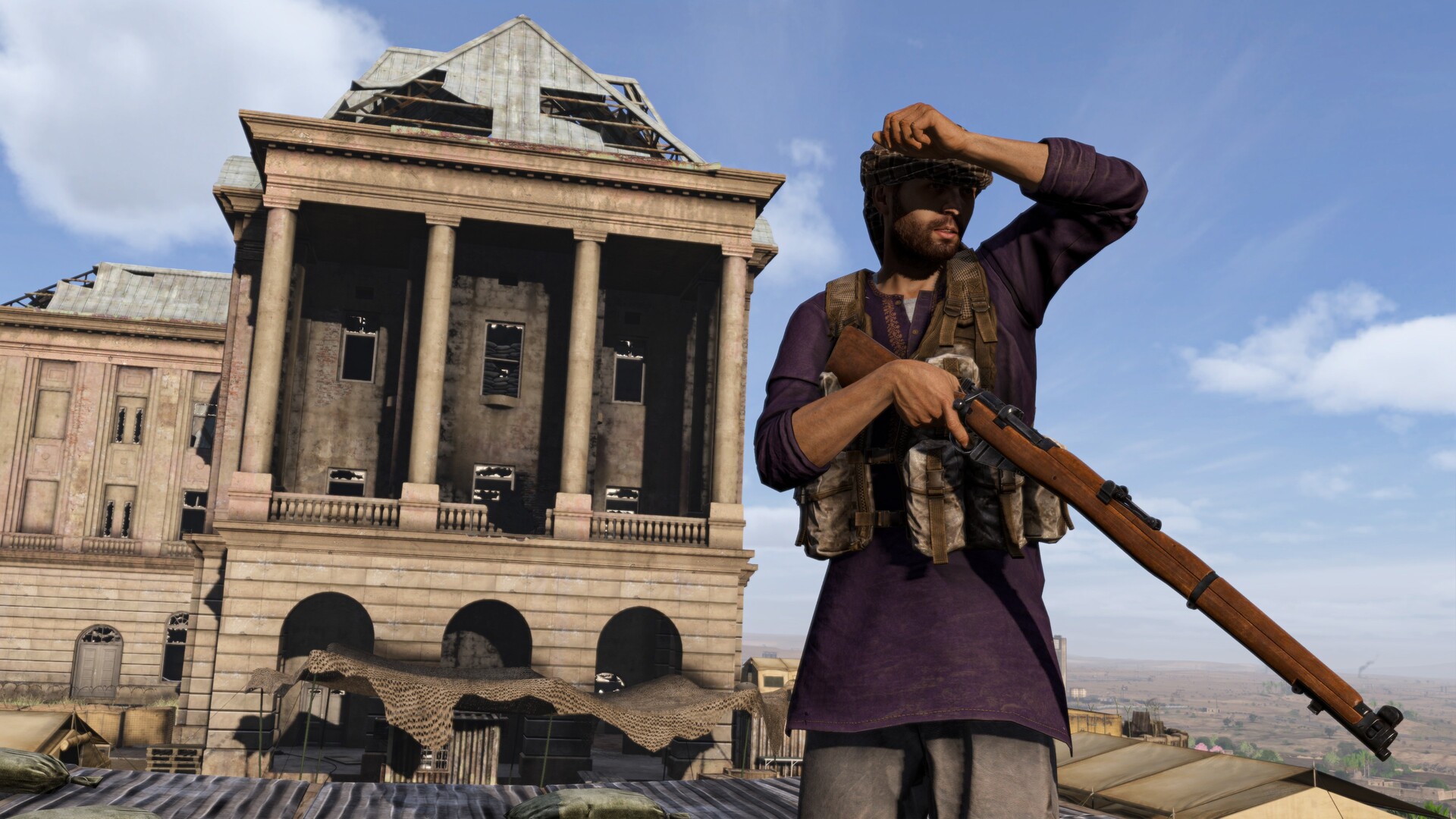
Official screenshot · Source: Steam store
The Badlands expansion launched on October 15, 2026, with a base-game update that adds motorbikes, refreshes selected firearms and other assets, and wipes every platform. If you drive, the practical question is simple. What will you see behind the wheels, and what should you not assume other players see?
Bohemia Interactive described the effect in the Week 79 Badlands developer blog, then shipped the setting alongside Update 1.30. That blog spent as much time on sand as it did on the Lee-Enfield. For drivers, the useful slice is narrower. On surfaces the team calls dust-prone, movement throws up particles. The cloud is tuned by vehicle type. It is not a random puff, and it is not a published spotting radar.
The DayZ Badlands launch announcement is the other half of the picture. Motorbikes arrive with the update, not as a footnote. A full wipe means yesterday’s parked ride is not waiting where you left it. This guide sticks to those official notes. It does not invent spawn towns, fuel rates, or a secret garage list.
What official posts say about DayZ Badlands vehicles
Search results love complete spawn maps. The October 2026 posts do not provide one. What they do provide is a clear boundary. Cars and trucks are part of the driving examples. Motorbikes are called newly added. A moped is the vehicle shown trailing dust. Anything beyond that—tank driving, exact part lists, or console-store bundles—is outside those pages.
DayZ Badlands vehicles, in the published notes, are a behavior problem as much as a loot problem. The environment reacts when you drive. A large wake follows the vehicle for a while. A smaller trail sits on each wheel. Designers can change the big cloud by vehicle type and by an artificial weight value, including when certain events happen. Those events are not named.
That gap matters. If a guide gives you liters of fuel, wheel counts for every chassis, or a map pin, it is not quoting these two posts. Use the table below as a filter before you trust a video.
| Claim | What the official notes support | What they do not support |
|---|---|---|
| Motorbikes are new in Update 1.30 | Yes. The launch post lists them among base-game additions | A full model list, speeds, or seat counts |
| Cars and trucks still exist | Yes. The dust blog names them beside motorbikes | Spawn towns, rarity, or cargo capacity |
| A moped was shown kicking up dust | Yes. The blog caption shows dust behind a moped | That the moped is the only bike |
| Vehicle dust varies by type and weight | Yes. Size and duration are tuned, and weight is artificial | Real cargo weight as a stealth slider |
| Update 1.30 wipes vehicles you already own | The launch post promises a full wipe and a fresh start on all platforms | The exact minute your old server build was deleted |
| Dust goggles are a vehicle part | No. They are named with clothing and face wraps | Any vision stat or helmet slot bonus |
Read “artificial” weight literally. The team said they introduced it so they could modify the cloud by vehicle type and when particular events occur. Loading a truck with planks is not documented as the switch that enlarges the trail. Do not plan a stealth build around cargo mass until a later note says the gameplay weight and the dust weight are the same number.
Motorbikes beside cars and trucks
Update 1.30 is the vehicle headline because motorbikes are new to the base game, not only a Badlands exclusive toy tucked behind a map gate. The launch post groups them with select firearms, reworked skins on some assets, quality-of-life work, and more. It does not say every old car was replaced. The dust article still talks about driving cars, trucks, and motorbikes in the same breath.
Think of three confirmed classes, not a showroom:
- Cars remain in the driving examples and can raise both dust effects on dust-prone ground.
- Trucks are named the same way. They are the natural candidate for a different type-and-weight tune, but no tonnage figure is published.
- Motorbikes are the addition. The moped is the concrete example already captured with a dust wake.
Fewer confirmed facts still change how you ride. A bike is a new early-move option after a wipe, when nobody is sitting on a pre-update convoy. It is also a new way to be seen if you are on loose ground and looking at your own trail. It is not, on this evidence, a silent ghost. The blog never says motorbikes skip the particle pass.
| Class | Status in the Oct 2026 notes | Dust behavior that is actually described |
|---|---|---|
| Car | Used as an existing driving example | Big wake plus a smaller effect on each wheel, on dust-prone surfaces |
| Truck | Used as an existing driving example | Same two effects; cloud size and duration can be tuned differently by type and artificial weight |
| Motorbike / moped | Newly added; moped shown in the dust footage | Same surface rule; the moped is the pictured wake, not a stat block |
| Anything else (armor, boats, aircraft) | Not established by these posts | Do not treat silence as a feature list |
The launch also frames the wider sandbox. Face wraps, dust goggles, light clothing, and desert camouflage are the adaptation gear. Wildlife includes mouflons, desert monitors, territorial dogs, and the infected. None of that is a vehicle stat, but it is why a short ride still needs water, a wrap, and a plan for getting off the machine. Guns in the same update run from the classic Lee-Enfield to modern SCR firearms. A working vehicle does not retire the firefight. It just moves where the fight can start.
Nasdara is the place the Week 79 sign-off names. The launch post talks about the region without turning this into a road atlas. Until a map guide is based on newer patch notes, treat road knowledge as something you check in game.
The two dust effects on a moving vehicle
The vehicle pass splits into two looks. Mixing them up leads to bad advice, because they are built for different jobs.
The first is the wake. A larger cloud follows the vehicle and lingers for a limited time. How wide that cloud looks, and how long it stays, depends on vehicle type and the artificial weight. The team can also push that value when events fire. Because the duration is described only as “a certain amount of time,” there is no official second count to memorize. Watch one vehicle cross a dusty flat and count for yourself. Then watch a different class. The comparison is the data the blog actually invites.
The second is the wheel trail. It is smaller, ambient, and attached to each wheel. The point is immersion while you drive, not a billboard on the horizon. A machine with more wheels has more of these local emitters. That follows from “each wheel.” It is not a promise that a bike is half as visible as a car. Wheel layout for every DayZ chassis is not in the post, and the big cloud can dominate the silhouette anyway.
| Effect | Where it sits | What changes it | What players should use it for |
|---|---|---|---|
| Large wake | Follows the vehicle, then fades | Type, artificial weight, and unnamed events | Reading your own passage on dust-prone ground |
| Per-wheel trail | Locked to each wheel | Present as ambience while the wheel is in that environment | Judging the surface under you, not spotting a dot on the horizon |
| Ambient ground dust | Local area around the player | Wind strength raises how often it spawns | Knowing the weather is adding particles even without a convoy |
| Airborne dust | Spawned upwind of the camera and drifting past | Wind direction sets the origin | Selling a dusty sky without simulating the whole map |
Surfaces are the on-off switch the blog does mention. The showcase is dust-prone ground. If you roll onto a surface that does not throw dust, do not expect the same wake. The posts never publish a surface checklist, so rock, asphalt, packed dirt, and loose sand are field tests, not table values.
A fair in-game example: the moped image shows a cloud behind the bike, not a fog glued to the horizon. A heavier-tuned truck can be set to a larger or longer cloud because type and weight are the knobs. You cannot quote a multiplier. You can expect the classes not to match pixel for pixel.
Wind, weight, and what stays on your machine
The technical section is the part most vehicle guides skip, and it changes the PvP fantasy. Bohemia’s goal was dust that feels alive without simulating the entire map. Both of the dust effects in that write-up are client-side. They do not need network sync. The stated exception is dust falling from a ceiling when someone walks overhead. Vehicle wakes are not given that exception.
In plain terms, your game builds particles near you. Ground dust spawns in a local pocket around the player, not from border to border. The pocket shifts with predicted direction and speed. If you are driving, the client spends its budget ahead of you instead of rebuilding clouds on ground you already left. Airborne grains spawn upwind and drift past the camera, so the air looks full without a map-wide simulation. Wind and time of day also change how dust behaves.
Wind is the only weather link with a clear rule. For ground-level dust, stronger wind means more frequent spawns, and direction matters too. For airborne grains, direction decides where they start, because they are born upwind of the view. Time of day is said to influence the effect. No hour-by-hour schedule is printed. Do not trust a community timetable that claims dust “turns off” at night unless a newer official note says so. There are no player-experience logs in the source set behind this article to confirm one.
| Input | Official effect on dust | Safe conclusion for drivers |
|---|---|---|
| Vehicle type | Changes the big cloud | Classes will not share one visual |
| Artificial weight | Changes size and duration; designers can edit it | Do not assume trunk loot is the weight value |
| Unnamed events | Can also drive that tuning | Do not invent crash, rain, or damage rules |
| Dust-prone surface | Vehicle particles are described there | Other surfaces may stay visually quiet |
| Wind strength | Higher intensity spawns more ground dust | Windy weather adds competing particles |
| Wind direction | Sets airborne origin and ground direction | The streak should agree with the weather |
| Time of day | Influences behavior; method not specified | Test it; do not follow a fake clock |
| Player speed and heading | Move the local simulation area | A performance detail, not a published “faster means bigger cloud” law |
| Network sync | Not required for these dust effects; ceiling dust is the exception | Do not treat your wake as a synced alarm for the whole server |
This is the correction that saves a bad habit. A dramatic trail on your screen is not documented as a server object every other client must draw. Someone else may not share your cloud, your timing, or your draw distance. The blog frames the work as immersion and cost, credited on the vehicle pass to Radek, with Martin on the wider environment and David on indoor dust. It does not frame the wake as a long-range recon tool.
Indoor dust is the system that does warn another player, and it is not a vehicle system. Footsteps can lift dust. Floors can creak. Dust can fall through to anyone listening below, and that ceiling case is the one that needs a shared signal. Dismounting and sprinting through a building is a louder kind of evidence than the wheel trail you admired on the road.
Client-side also explains the performance trick. Predicting where you are going keeps the active patch in front of a fast vehicle. The team is not spawning dust across abandoned ground behind you just to keep a pretty tunnel in the sky. If a dust storm feels heavier while you drive, that matches a design that concentrates particles around the local player. It is not, by itself, a bug report that the whole map is on fire.
Driving habits that match the published systems
Use the systems you can actually verify. Ignore tactics that need numbers these posts never printed.
Before the first ride on a fresh 1.30 server, assume the wipe was real. The launch post says Update 1.30 is a fresh start for everyone, with a full wipe across all platforms. A vehicle you repaired last month is not a plan. The first working chassis you find is a post-wipe find. That does not tell you how often vehicles spawn. It tells you not to route through a memory of your old parking spot.
On the road, separate three pictures:
- Your wake on dust-prone ground tells you the surface is loose enough to throw particles. Look back once when you change surface so you know which stretches advertise movement on your own screen.
- Wind piles on extra ground dust. A busier cloud in a gale is not proof you suddenly became a heavier vehicle. Compare the trail against the weather before you blame the chassis.
- Buildings are a different channel. Creaks and falling ceiling dust are the alert the developers described. The bike’s ambience is not a substitute for quiet feet.
Gear from the launch post fits the same environment. Dust goggles, face wraps, lightweight clothes, and desert camouflage are packed as ways to live in the region. They are not documented as engine parts, radiator mods, or a slider that shrinks particles. Wear them because the map is sandy and bright, then confirm any mechanical bonus yourself. Do not let a wiki turn a clothing name into a vehicle attachment.
Quality-of-life items shipped with 1.30, but the launch note does not list driving hotkeys, a new radial, or a repair change. If a tip depends on a new interaction, find it in a dedicated 1.30 note rather than assuming the phrase “and more” covers it.
A simple field loop keeps you honest:
- Find dust-prone ground and idle. Note the ambient grains before you even accelerate.
- Roll a short line at an even pace. Mark how the wake and the wheel trails differ.
- Repeat into a stronger wind if you get one. Expect more ground spawns, not a new vehicle class.
- Change surface. If the wake dies, that surface is outside the dust-prone case for now.
- Park, go indoors, and walk. Treat creaks and ceiling dust as the player-alert system, because that is the one the blog ties to someone else hearing you.
DayZ Badlands vehicles reward that kind of check more than a spreadsheet. The artificial weight can change when events happen, and those events are unpublished. A cloud that looked one way on Tuesday can be tuned later without a loot-table patch. Recheck after hotfixes instead of freezing a single screenshot into law.
| Moment | What to watch | Mistake to avoid |
|---|---|---|
| Just after the 1.30 wipe | No legacy vehicle is guaranteed where you left it | Riding to a pre-wipe stash from memory |
| First minute on loose ground | Wake plus per-wheel grit on your client | Assuming every nearby player shares that exact cloud |
| Wind picks up | More frequent ground dust | Calling it proof that a truck entered the valley |
| Surface changes | Trail may stop on ground that is not dust-prone | Forcing one “always dusty” rule onto every road |
| You dismount and enter a building | Footsteps, creaks, ceiling dust | Thinking the stealth problem ended when the engine did |
| A later patch drops | Type and event weights are designer-side knobs | Keeping an outdated size chart |
None of this replaces ordinary DayZ caution. Territorial dogs and infected still occupy ground you might cross. A Lee-Enfield or an SCR does not care that your tires look good. The vehicle layer added in this update is visibility, mobility after a wipe, and a client-side dust simulation built to stay cheap. Play to that layer. Do not add a second, imaginary one.
FAQ
Which DayZ Badlands vehicles leave a dust trail?
The Week 79 notes name cars, trucks, and newly added motorbikes, and they show a moped with dust behind it. The effect is described on dust-prone surfaces. A larger cloud follows the vehicle. A smaller one is attached to each wheel. No other chassis is confirmed in these posts, and no article here can honestly rank unlisted types.
Are the new motorbikes only on the Badlands map?
The launch announcement says Badlands brings additions to the base game with Update 1.30, and it lists motorbikes among them. That is broader than a single-map prop. The notes still do not publish spawn rules, so “in the base game” is not the same claim as “parked on every road.”
Can other players track you by your dust cloud?
Not on the strength of these technical notes. The dust effects in that write-up are client-side and do not need network sync. The exception they call out is ceiling dust when a person walks overhead. Treat the vehicle wake as local feedback and immersion. The shared warning they actually describe is indoor: creaking floors and dust falling onto someone below.
Did the launch wipe existing vehicles?
The official launch post says Update 1.30 is a fresh start, with a full wipe across all platforms. Plan as if stored vehicles from before that update are gone. The post does not add a separate vehicle-only exception, and it does not publish new drop rates to replace what the wipe removed.
Related Guides
DayZ Badlands dirt bike: Speed, Setup, and Tips
Learn DayZ Badlands dirt bike speed, handling, repairs, colors, and how the Enduro compares with the Jana moped in Update 1.30.
DayZ Badlands tank: Bikes, Fuel, and Facts
No armored DayZ Badlands tank is confirmed. Update 1.30 adds Jana and Enduro bikes; official notes cover fuel-tank wear, not heavy armor.
DayZ Badlands Water Truck: Early Survival Guide
Find a DayZ Badlands water truck, compare wells and oases, and survive heat and sandstorms on the new map.
DayZ Badlands Sickness: Heatstroke and Dust Cures
Survive DayZ Badlands sickness on Nasdara: heatstroke stages, silicosis, eye grit, cholera from bad water, and the cures that work.
DayZ Badlands early access: launch and features
DayZ Badlands early access notes meet the live 1.30 wipe: heat, water, sandstorms, bikes, and what creators could not confirm.